
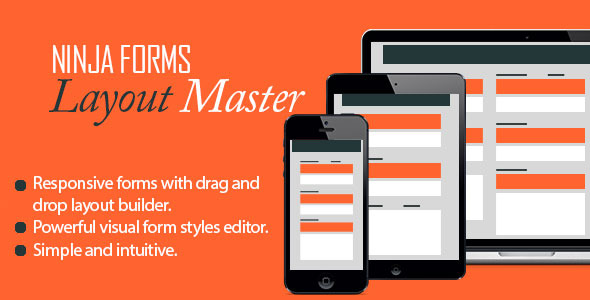

This extension allows to change layout and styles of your Ninja Forms within your WordPress admin. Start creating beautiful and responsive layouts without any programming knowledge today!
Features
- Create 100% responsive forms using build in visual layout and styles editor.
- Use drag-n-drop to create up to 4 column form layouts.
- Easily style form elements including input boxes, labels, and wrappers.
- Style Ninja Forms success and error messages.
- Remove Fields marked with a * are required message.
- Export and import your forms across the blogs with styles intact.
- Set custom CSS class to use default theme styling or use;
- Custom CSS editor to create your own custom form styles.
- Get free automatic updates.
Changelog
v1.7.2
------
* New: Translations ready.
* Updated: Form border size field issue fixed.
* Updated: Edit Menu Item text removed for styles tab section dropdowns.
* Updated: Small code improvements and optimizations.

v1.7.1
------
* Updated: First field padding issue fixed (form item was not properly padded if located at [1,2], [1,3], or [1,4] locations).

v1.7.0
------
* New: Added width and height fields to change label, input, textarea and form size.
* New: Added error border color option for Ninja Form fields.
* New: Reuse your form CSS styles. Copy. Paste. Save!
* Updated: Warning notices fixed in frontend-layout.php.
* Updated: Default field border size now set to 1px.

v1.6.0
------
* New: Added option to disable plugin updates (for Envato theme authors).
* New: Added option to resize submit buttons.
* New: Added option to change color for field error message.
* Updated: Save metabox states after styles tab is saved.
* Updated: Form style rendering method updated. CSS minification added.
* Updated: Extra backslash issue fixed with Custom CSS.
* Updated: Warning notices fixed in frontend-layout.php.
* Updated: Fixed small JS issue in Ninja Forms Layout Master backend.

v1.5.0
------
* New: Column rendering option added. By default any Ninja Form will be still rendered using row-by-row principle.
* Updated: Issue fixed where last row is not cleared (using clearfix).

v1.4.0
------
* New: Button hover styling options added to form visual style editor.
* Updated: Form field list order bug fixed when switching from/to Layout and Build Your Form tabs.
* Updated: Clearfix added after each row to force form fields to be properly aligned and displayed.
* Updated: Field styles applied to number and password fields.

v1.3.0
------
* New: Form visual styling options added for Ninja Forms error and success message.
* New: Option added to remove "Fields marked with a * are required" note.
* New: Added color picker option for label require symbol (*).
* Updated: Form Styles tab updated. All items grouped into collapsible metaboxes.
* Updated: 'Disable CSS' property is now reversed and renamed to 'Enable Form Styles'.
* Updated: Fixed warning notices shown when Styles tab is saved.
* Updated: Form CSS Stylesheets optimised.
* Updated: Ninja Forms - Layout Master add-on documentation updated.

v1.2.0
-------
* New: ABSPATH checks added for php files (security fix).
* Updated: Fixed warning notices.
* Updated: Ninja Forms - Layout Master compatibility fix for Ninja Forms 2.9+ added.

v1.0.0
------
* New: Initial release