
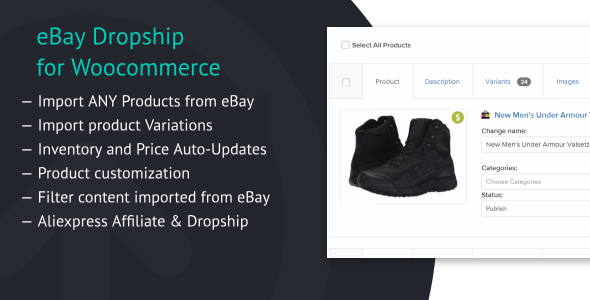
eBay2Woo plugin
Allows you to easily import dropshipped or affiliated eBay products directly into your WooCommerce store and ship them directly to your customers – in only a few clicks.
Features improving your dropshipping experience
Import any products from eBay – easily import products from eBay.com directly into your store.
Product variations – offer different variations of your products, such as multiple sizes, colors, materials, and more.
Filter eBay content – add lists of phrases you want to be replaced or removed completely from content imported from eBay
Product customization – edit your products as you wish: change titles, descriptions, images, anything!
Inventory and price auto-updates – know that your inventory and prices are a
eBay2Woo plugin
Allows you to easily import dropshipped or affiliated eBay products directly into your WooCommerce store and ship them directly to your customers – in only a few clicks.
Features improving your dropshipping experience
- Import any products from eBay – easily import products from eBay.com directly into your store.
- Product variations – offer different variations of your products, such as multiple sizes, colors, materials, and more.
- Filter eBay content – add lists of phrases you want to be replaced or removed completely from content imported from eBay
- Product customization – edit your products as you wish: change titles, descriptions, images, anything!
- Inventory and price auto-updates – know that your inventory and prices are always up to date.
- Pricing automations – create pricing rules, and price your products in bulk.
- eBay affiliate & dropship – with this plugin you can sell products as dropshipper or using eBay Affiliate Key.
How to install the Plugin?
Method 1:
- Download the zip file you receive after purchase
- Install via WordPress > Admin Dashboard > Plugins > Add New > Upload File
- Press Install
- Activate the plugin
Method 2:
- Download the zip file you receive after purchase
- Extract the contents of the zip file
- Copy the extracted address-autocomplete-gf folder to the //your-wordpress-installation/wp-content/plugins folder
- Activate the plugin from the Admin